
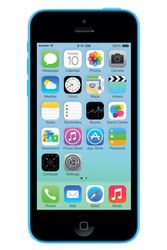
Apple iPhone and iPod Touch Review
Apple’s iPhone has become one of the most popular smartphones on which to read ebooks and there’s now many dedicated ebook reading apps available. Although smartphones screens are quite small, they are certainly big enough to read from and with their multi-function nature they really have become a great choice for many people.
Out of the many different reading apps avaiable in Apple’s App Store, one of the best currently available is the Bluefire Reader. It has all functionality needed for reading EPUB ebooks and also include support for DRM enabled titles. So, along with reading all the downloads from this site you can also buy books from most online stores including Kobo, eBooks.com and Diesel eBooks.
Here’s a quick overview of the features available on Bluefire;
- Large number of different font sizes.
- Override of publisher’s styling allowing different fonts, justification, color, etc.
- Lots of different themes: Night Mode, Black n’ White, Soft Light, etc.
- Change Screen Brightness.
- Add/Remove pages numbers.
- Increase/Decrease page border size.
- Search feature and add bookmarks.
- etc.
There are of course many other eReader apps but one you should certainly also try is Apple’s own iBooks.
Reading EPUB books on your iPhone with iBooks or Bluefire Reader
Perhaps the easiest way to add books is to just browse the epubBooks catalog from within Safari, adding titles as you find them;
- Open Safari on your iPhone and find an EPUB you want to download. (Ex. Adventures of Sherlock Holmes )
- Click the “Download EPUB” button on the book page.
- To read with iBooks (if you have it installed) then click the Open in “iBooks” button, otherwise, click Open in… and select the Bluefire icon.
- Open the app and start reading!
Adding ebooks via iTunes takes a little more work but still quite simple.
- Find a book on epubBooks.com that you wish to read, click the “Download EPUB” button and save to your Desktop.
- Connect your iPhone to the computer and open iTunes.
For iBooks users;
- Drag-and-drop the book directly onto the iTunes “Books” folder and sync.
For Bluefire users;
- Select your iPhone In iTunes, then select the “App” tab (top middle).
- Scroll down and under the Apps section select the Blufire reader label, then in the right panel select “Add..”, browser to your desktop and select the EPUB file you just downloaded.
- Start up Bluefire/iBooks and begin reading.
Conclusion
Perhaps the most difficult aspect of reading on the iPhone is its small screen, but don’t let that put you off. It’s suprising easy to adjust and most apps these days have plenty of different fonts sizes and/or zooming capabilities.
If I had to give one piece of advice then I guess it would be this;
If you’re a hardcore book reader then this is not what you’d want as your primary ebook reading device, but rather more as a supplementary reader. For those of you who are casual readers - perhaps just reading for 20 minutes a day while on the train to work - then both the iPhone and iPod Touch would be perfect choices.